
A Practical Guide to Order Updates for Small Businesses
A customer refreshing their tracking page for the third time is already doubting you. Silence between checkout and delivery sends them to a competitor, while a single timely message keeps the sale and the relationship. Order updates are retention work, not logistics admin. More detail on the current options is published at com.bot.
This guide walks through the touchpoints customers actually expect, how to time messages without flooding their inbox, and how WhatsApp, email, SMS, and social DMs compare for notifications. You will also learn what belongs in every update, how to automate triggers and templates while keeping a human tone, and how to handle delays and post-purchase questions.
Why Order Updates Make or Break Small Business Retention
When a small business fails to send timely order updates, customers are more likely to abandon the brand after a poor experience. That explains why silence after checkout is so expensive. A customer who hears nothing starts to wonder whether the order was received at all, whether payment went through, or whether the package will ever arrive.
Poor communication does more than create anxiety. It erodes trust in the entire buying experience, from order processing to final delivery. Once that trust is gone, winning the customer back costs far more than the original sale was ever worth.
Order updates are not a logistics chore. They are a retention strategy that keeps customers informed, reassured, and willing to buy again.
Proactive updates, sent before the customer thinks to ask, cut inbound "Where is my order?" tickets dramatically. Businesses that share shipping confirmation, tracking number, and delivery status without being prompted tend to report fewer support requests.
That drop matters for two reasons. First, fewer tickets means staff spend less time answering the same question and more time on revenue-generating work. Second, a customer who never has to chase an update associates the brand with reliability rather than friction.
Repeat purchase rates tend to rise alongside update quality. A buyer who knows exactly when a package will arrive, and receives a customer notification at each stage, feels handled. That feeling is what turns a one-time purchase into a habit.
Consider a small e-commerce store selling handmade home goods. Orders shipped fine, but customers had no visibility after checkout, so the inbox filled with anxious emails and the review score slipped.
The owner added order tracking with automatic updates at dispatch, in transit, and on delivery. Support volume fell, reviews recovered, and repeat orders climbed within a few months. Nothing about the product changed. Only the communication did.
Getting there does not require a large budget. A few practical steps cover most of the ground:
- Send a shipping confirmation the moment a shipping label is generated, not hours later.
- Include the tracking number and a direct link to the carrier page in every message.
- Push an update when the package is out for delivery, since that is when questions peak.
- Alert customers immediately if a backorder or stock issue delays the order, rather than letting the promised date pass in silence.
- Confirm delivery, then follow up once with a simple request for feedback.
These touchpoints work best when they run automatically. An order management system or OMS connected to the storefront can trigger messages at each stage without anyone remembering to send them by hand.
Platforms such as Shopify, WooCommerce, Magento, and BigCommerce all support notification workflows, and many connect to courier integration tools that pull live delivery status from USPS, UPS, FedEx, or DHL. For businesses running a POS system alongside online sales, an ERP integration keeps stock levels and order data in one place, so updates reflect reality instead of guesswork.
The payoff extends past delivery. A clear payment status, a clean invoice or receipt, and a straightforward path for a refund or exchange all reinforce the same message: this business has its act together.
That message is what customers remember when they decide where to spend next time. Order updates are the quiet, repeatable act that keeps them coming back.
The Order Update Journey: From Checkout to Delivery
The post-purchase journey spans several critical stages, from order confirmation to delivery follow-up. Each stage gives a customer a reason to trust the business or a reason to worry. Small business owners who map these stages in advance can plan messages that arrive at the right moment instead of reacting to complaints.
The first stage is order confirmation, sent the moment a purchase clears. Next comes processing, when the order enters the pick and pack queue. If an item is out of stock, a backorder notice keeps the buyer informed rather than silent. Shipment follows, then in-transit updates, then an out for delivery alert, and finally a delivered confirmation with a follow-up message.
Not every order hits every stage. A digital product may skip shipping entirely, while a custom item might sit in processing for days. The sequence still matters because customers learn the pattern quickly. Once they know what to expect, silence at any stage feels like a problem.
An order management system, or OMS, can trigger these messages automatically as statuses change. Even a basic setup using Shopify, WooCommerce, or a POS system can connect order processing to email or SMS alerts. The goal is not more messages, it is the right message at each handoff point.
Key Touchpoints Customers Expect to Hear About
Customers expect updates at five key touchpoints: order confirmation, payment status, shipment, delivery, and post-delivery follow-up. Each one answers a different question in the buyer's mind, and skipping any of them creates a gap where support tickets grow.
Order confirmation should include the receipt, order number, itemized list, and expected timeline. A clear subject line like "Order #12345 confirmed" helps customers find it later. This message also sets expectations for when the next update will arrive.
Payment status matters when a card is declined, a payment is pending, or a refund is issued. A failed payment message should explain the problem plainly and offer a way to retry. For refunds and exchanges, state the amount and the expected timeline for the funds to return.
Shipment confirmation needs the tracking number, carrier name, and a direct tracking link. For example: "Your order #12345 has shipped via UPS, tracking: 1Z999AA10123456784." Include the carrier because buyers often check USPS, UPS, FedEx, or DHL directly.
Delivery status updates cover the final stretch. An out for delivery notice on the morning of arrival reduces missed deliveries. A delivered confirmation closes the loop and gives the customer a chance to report problems quickly.
Post-delivery follow-up arrives two to three days later. It can request a review, share support contact details, or explain the return window. This touchpoint turns a transaction into a relationship and often surfaces issues before they become public complaints.
Timing Your Updates Without Overwhelming Buyers
Sending too many updates can annoy customers, while too few leave them in the dark. Strike a balance with event-triggered notifications. Each message should fire because something actually changed, not because a timer went off.
A workable cadence looks like this:
- Immediately after checkout: order confirmation with receipt and order number
- Within 24 hours of dispatch: shipping confirmation with tracking number and carrier
- On delivery day: out for delivery alert, if the carrier supports it
- Two to three days after delivery: follow-up with review request or support information
Daily "still in transit" messages are the classic mistake. They add noise without new information, and customers start ignoring every message from that sender. The opposite problem, silence after payment, is worse. Buyers who hear nothing for a week often assume the order was lost and open a dispute.
Personalization helps at the margins. High-value orders may deserve a personal note or a proactive check-in after delivery. Repeat customers might prefer SMS over email, while first-time buyers often want more detail. Preferences can be captured at checkout or in account settings, then applied through the order management system.
Courier integration also affects timing. Carriers like USPS, UPS, FedEx, and DHL push tracking events at different speeds, so build in a small buffer before promising an update. Testing the full flow from dispatch to delivery status keeps the cadence realistic as order volume grows.
Choosing the Right Channels for Order Notifications
Channel choice significantly impacts update visibility. A carefully worded shipping confirmation means little if the customer never opens it. The channel itself often determines whether an order update is seen, skimmed, or ignored entirely.
Channel preference is not uniform. Younger shoppers tend to favor messaging apps and social DMs, while older customers often default to email and SMS. A loyal repeat buyer may expect a text, while a first-time purchaser might look for an email receipt. Small businesses that assume one channel fits everyone risk losing visibility with entire customer segments.
Urgency matters just as much as demographics. A delivery status change happening within the hour calls for an instant channel. A monthly invoice or detailed receipt can sit comfortably in an inbox. Matching the message to the moment keeps customers informed without overwhelming them.
Cost and effort also play a role for lean teams. SMS and WhatsApp messages carry per-message fees in many regions, while email is nearly free at scale. Social DMs cost nothing but demand manual attention. Weighing reach against budget helps a small business build a notification mix that stays sustainable as order volume grows.
The comparison below breaks down how each channel performs across open rates, use cases, and tradeoffs.
WhatsApp, Email, SMS, and Social DMs Compared
WhatsApp is known for high open rates and near-instant read times, making it ideal for time-sensitive updates like delivery notifications. Its rich media support allows tracking links, images of packed items, and interactive buttons within a single thread. The catch is that customers must opt in, and businesses in some regions pay per conversation.
Email remains the workhorse for detailed receipts, invoices, and order summaries. Open rates tend to be lower, but the format allows unlimited length, attachments, and a searchable record customers can revisit. For refund confirmations, payment status changes, or itemized packing slips, email is hard to beat.
SMS offers high open rates with near-universal device support. The tradeoff is a tight character limit and no rich formatting, so messages must be short and precise. SMS works best for a dispatch alert, a tracking number, or a one-line delivery status ping.
Social DMs generate high engagement on platforms like Instagram and Facebook, but they are platform-specific and often tied to manual response workflows. They suit brands with an active social presence, though they rarely serve as a primary notification channel.
| Channel | Open Rate | Best Use Case | Pros | Cons |
|---|---|---|---|---|
| High | Time-sensitive delivery updates | Rich media, global reach, quick reads | Requires opt-in, per-message costs in some regions | |
| Lower | Detailed receipts and invoices | Unlimited length, attachments, searchable record | Lower open rates, can land in spam | |
| SMS | High | Dispatch alerts and tracking numbers | Universal reach, fast delivery | Character limits, no rich formatting |
| Social DMs | High engagement | Brands with active social audiences | Conversational, familiar interface | Platform-specific, often manual |
A multi-channel approach with clear customer opt-in covers the gaps each channel leaves. Let buyers choose their preferred notification method at checkout, then route updates accordingly through an order management system or ERP integration. A Shopify or WooCommerce store can sync order events to trigger the right message on the right channel automatically.
Practical routing looks like this: send a WhatsApp or SMS alert the moment an order is dispatched, follow with an email receipt containing the invoice and tracking number, and reserve social DMs for customers who actively engage there. This layered setup respects preferences while keeping every order update visible.
What to Include in Every Order Update Message
Every order update should answer three questions: What did I order? When will it arrive? How can I get help? If a message leaves any of these unanswered, customers will reply to ask, and your support inbox fills with avoidable tickets.
The good news is that a complete update does not need to be long. Clarity and brevity beat length every time. A short message that covers the essentials keeps buyers informed and reduces follow-up questions for your small business.
Use the checklist below as a baseline for every customer notification you send, whether it covers order processing, dispatch, or delivery status.
- Order number so the customer can match the message to their records
- Product name or SKU plus a quick item count for multi-item orders
- Current status such as confirmed, packed, shipped, or backordered
- Expected delivery date or a realistic window, not a vague promise
- Tracking number and carrier name once the parcel leaves your warehouse
- Tracking link that works on mobile without a login
- Support contact such as a reply-to address or help page
Once a shipment is handed to a courier, the tracking number and carrier become the most important details in the message. Whether you use USPS, UPS, FedEx, or DHL, the customer should be able to click once and see live movement. A tracking link that requires an account or a manual copy-paste adds friction and invites a support email.
Here is a simple template you can adapt for a shipping confirmation:
Hi [Name], your order #12345 (2 items) has shipped via FedEx. Track here: [link]. Expected delivery: Nov 15. Questions? Reply to this message.
That example works because it is scannable in seconds. It names the order, the item count, the carrier, the expected date, and a clear way to get help. No marketing filler, no jargon.
For earlier stages, swap the status line while keeping the same structure. A confirmation might read "your order is confirmed and being prepared." A backorder notice should state the delay plainly and give a revised date rather than leaving the customer guessing.
If payment status matters, such as a pending charge or a partial refund, say so in one plain sentence. A receipt or invoice attachment can carry the finer details, but the message itself should still stand alone.
Keep the tone consistent across every stage: order confirmation, pick and pack updates, dispatch, and final delivery. Customers notice when one message is warm and the next reads like a system alert. A steady voice builds trust, and trust is what turns a first-time buyer into a repeat one.
Finally, test your template on a phone before you send it at scale. Most buyers open order updates on mobile, so short lines, a working tracking link, and a visible support contact matter more than polished prose. An order management system or ERP integration can populate these fields automatically, which keeps your team from retyping details and introducing errors.
Automating Order Updates Without Losing the Personal Touch
Automation can handle most order updates, but personalization tokens and conditional logic keep messages feeling human. A customer who receives a shipping confirmation addressed to "Valued Customer" feels like a ticket number. The same message addressed to "Hi Maria" feels like a brand that knows her.
The goal is not to automate everything. It is to automate the repetitive parts while reserving genuine human attention for moments that matter. That balance lives in how you build your templates.
Dynamic templates are the bridge between efficiency and warmth. Instead of one generic message, a dynamic template pulls real data from your order management system at send time. That includes the customer's first name, order number, item names, delivery address, and tracking link.
Personalization can go further than names. A template can reference the specific product purchased, offer a care tip for that item, or suggest a complementary product based on what is in the cart. Someone who buys a coffee grinder might appreciate a note about whole bean storage.
Conditional logic adds another layer. If an order contains a backordered item, the message can include a revised timeline and an apology. If payment is still pending, the template can shift to a gentle reminder instead of a dispatch notice.
These small variations cost nothing extra to send. They simply require planning the branches upfront. The result is a customer notification that reads like it was written for one person, even when it went out to thousands.
Setting Up Triggers and Templates That Scale
Set up event-based triggers in your OMS: order created, payment received, shipment dispatched, delivery confirmed, and feedback requested. Each event maps to a specific customer notification, so no update depends on someone remembering to send it.
In Shopify, these triggers live under the notification settings for each order event. WooCommerce handles the same logic through order status changes and email hooks. Magento and BigCommerce follow similar patterns, and most POS systems can push events into the same flow.
A basic dispatch template with merge tags looks like this:
- Subject: Your {{order.name}} is on the way
- Body: Hi {{customer.first_name}}, your {{order.name}} has shipped. Track it here: {{tracking_url}}
- Footer: Questions about your delivery status? Reply to this message and a real person will help.
Merge tags pull directly from your order management system, so the tracking number, carrier, and item details stay accurate without manual entry. Courier integration with USPS, UPS, FedEx, or DHL feeds the tracking data back into the system automatically.
A/B testing subject lines and send times reveals what your audience actually opens. Test one variable at a time, such as a friendly subject against a direct one, and let the results run long enough to be meaningful.
Scaling without errors comes down to a few habits:
- Preview every template with real order data before it goes live
- Keep a fallback value for any merge tag that might arrive empty
- Review triggered sends after each platform update or app install
- Log failed sends so a missed delivery confirmation does not go unnoticed
Inventory management and stock levels also affect which trigger fires. A backorder or low-stock SKU should route to a different message than a standard dispatch, which keeps expectations honest during fulfillment.
Handling Delays, Exceptions, and Post-Purchase Questions
Proactive delay notifications tend to reduce customer service calls and improve satisfaction scores. That insight should shape how a small business approaches every exception in the fulfillment process. When a package stalls, a SKU runs out, or a buyer wants to return an item, the customer is not really asking about logistics. They want to know what happened, what happens next, and whether anyone is paying attention.
Transparency and empathy carry more weight here than perfect execution. A late delivery with clear communication often lands better than an on-time delivery with silence. The goal is to reach the customer before they reach out to you, and to make every message feel human rather than automated.
The scripts below cover the most common post-purchase scenarios. Adapt the tone to match your brand voice, but keep the structure: acknowledge the problem, explain the cause briefly, state the new expectation, and confirm the next update.
Weather or carrier delay: "We're sorry, your order is delayed due to severe weather along the delivery route. Your new expected delivery date is Nov 20. We'll send you an update as soon as your tracking number shows movement."
Backorder or low stock: "Thank you for your patience. One item in your order is currently on backorder while we restock. We expect it to ship by Nov 18. Would you prefer to wait, split the shipment, or receive a refund for that item?"
Lost package: "We're sorry your package appears to be lost in transit. We've opened a claim with the carrier and will send a replacement or full refund within 3 business days. No action is needed on your end."
Return or exchange request: "We're happy to help with your return. Here's a prepaid shipping label and a short form. Once we receive the item, your refund or exchange will be processed within 5 business days."
Notice the pattern in each script. The message names the problem, avoids blame, gives a concrete next step, and removes effort from the customer. That combination defuses most frustration before it escalates.
Not every exception can be handled by a template. Some situations need a human, and routing them quickly protects both the customer relationship and your team's time. Use the following decision path when a message arrives.
| Trigger | Route To | Reason |
|---|---|---|
| Standard delay with active tracking | Automated notification | No judgment needed, just an update |
| Backorder or stock issue | Automated message with reply options | Customer chooses the resolution |
| Lost or stalled package over 7 days | Human agent | Requires carrier claim and judgment |
| Refund, exchange, or payment dispute | Human agent | Financial decisions need review |
| Angry or repeated complaint | Human agent, priority queue | Empathy and authority required |
| Order value above your threshold | Human agent | Protects high-value relationships |
An order management system or OMS can tag these triggers automatically based on delivery status, payment status, and message sentiment. If your setup includes ERP integration or a platform like Shopify, WooCommerce, Magento, or BigCommerce, look for rules that flag exceptions the moment a tracking number stops updating.
Two habits keep this system healthy. First, review your exception log weekly to spot patterns, such as a courier that consistently misses delivery windows or a SKU that keeps going on backorder. Second, keep your templates short and specific. Long apologies read as insincere, while vague ones leave the customer guessing.
Small businesses have an advantage here. A personal note from a real person often outperforms a polished corporate response. The technology handles the routing and the timing. The words should still sound like they came from someone who cares about the order.
Measuring the Impact of Your Order Update Strategy
Track five KPIs: update open rate, click-through rate, support ticket volume, repeat purchase rate, and Net Promoter Score. Together, these metrics tell you whether your customer notification efforts are actually reducing friction or just adding noise. A high open rate means little if support tickets stay flat and repeat purchases never move.
Set up analytics at the channel level first, since each one behaves differently. For WhatsApp, most business messaging platforms report delivery and read status, which gives you a reliable open rate proxy. For email, your e-commerce platform or email tool tracks opens and clicks through a tracking pixel and link wrapping. SMS tools typically report delivery and click data but not opens.
Build a simple tracking sheet or dashboard that pulls these numbers weekly. A basic layout might look like this:
| Metric | Weekly Target | ||
|---|---|---|---|
| Open rate | Channel data | Channel data | Track trend |
| Click-through rate | Channel data | Channel data | Track trend |
| Support tickets | Combined | Combined | Track trend |
| Repeat purchase rate | Combined | Combined | Track trend |
| Net Promoter Score | Survey | Survey | Track trend |
WhatsApp generally outperforms email on open rates, though results vary by audience and message type. Use these as directional benchmarks, not guarantees. What matters more is whether your own numbers improve month over month.
Support ticket reduction is the clearest signal that updates are working. If customers can see delivery status, tracking numbers, and payment status without asking, ticket volume should fall.
To calculate ROI, compare the cost of sending updates against the value of saved support hours. Add up your messaging costs, platform fees, and staff time spent on updates. Then estimate hours saved on ticket handling and multiply by your average hourly support cost. If saved hours exceed update costs, the strategy pays for itself.
Review the dashboard monthly, not daily. Look for patterns: does a spike in tickets follow a specific carrier delay or backorder event? Does a drop in repeat purchases align with slower dispatch times? These connections turn raw numbers into decisions about where to improve your order management system and fulfillment flow.
Tools That Simplify Order Updates for Small Teams
Small teams need tools that work together with their existing e-commerce stack and automate updates across channels without coding. A five-person shop running a Shopify or WooCommerce storefront cannot manually send a shipping confirmation to every buyer, then follow up on delivery status, then answer "where is my order" messages one at a time.
The right tool removes that repetition. It watches for order events, fires the right customer notification, and keeps a record of what was sent. That means fewer missed updates and fewer support tickets during peak season.
When comparing options, look for a few core features. These separate tools built for growing businesses from generic messaging apps.
- Multi-channel support: the ability to send updates through email, SMS, and chat apps from one place, rather than logging into four dashboards.
- Pre-built templates: ready-made messages for shipping confirmation, delivery status, refund, and exchange events that you can edit instead of writing from scratch.
- Trigger-based automation: rules that fire when an order event happens, such as a tracking number being generated or a payment status changing.
- Analytics: visibility into delivery rates, open rates, and response times so you can spot bottlenecks in fulfillment.
Tools generally fall into three categories. An order management system (OMS) or ERP integration handles the back end: order processing, stock levels, SKU tracking, and warehouse management. A helpdesk platform organizes inbound customer questions. A communication platform handles the outbound side, where order tracking, dispatch notices, and delivery status updates actually reach the customer.
For small teams, the communication layer is often the weakest link. Fulfillment tools know an order shipped, but they rarely talk to the channel the customer actually checks. That gap is where a dedicated messaging platform earns its place in the stack.
How Com.bot Handles Order Updates Across Channels
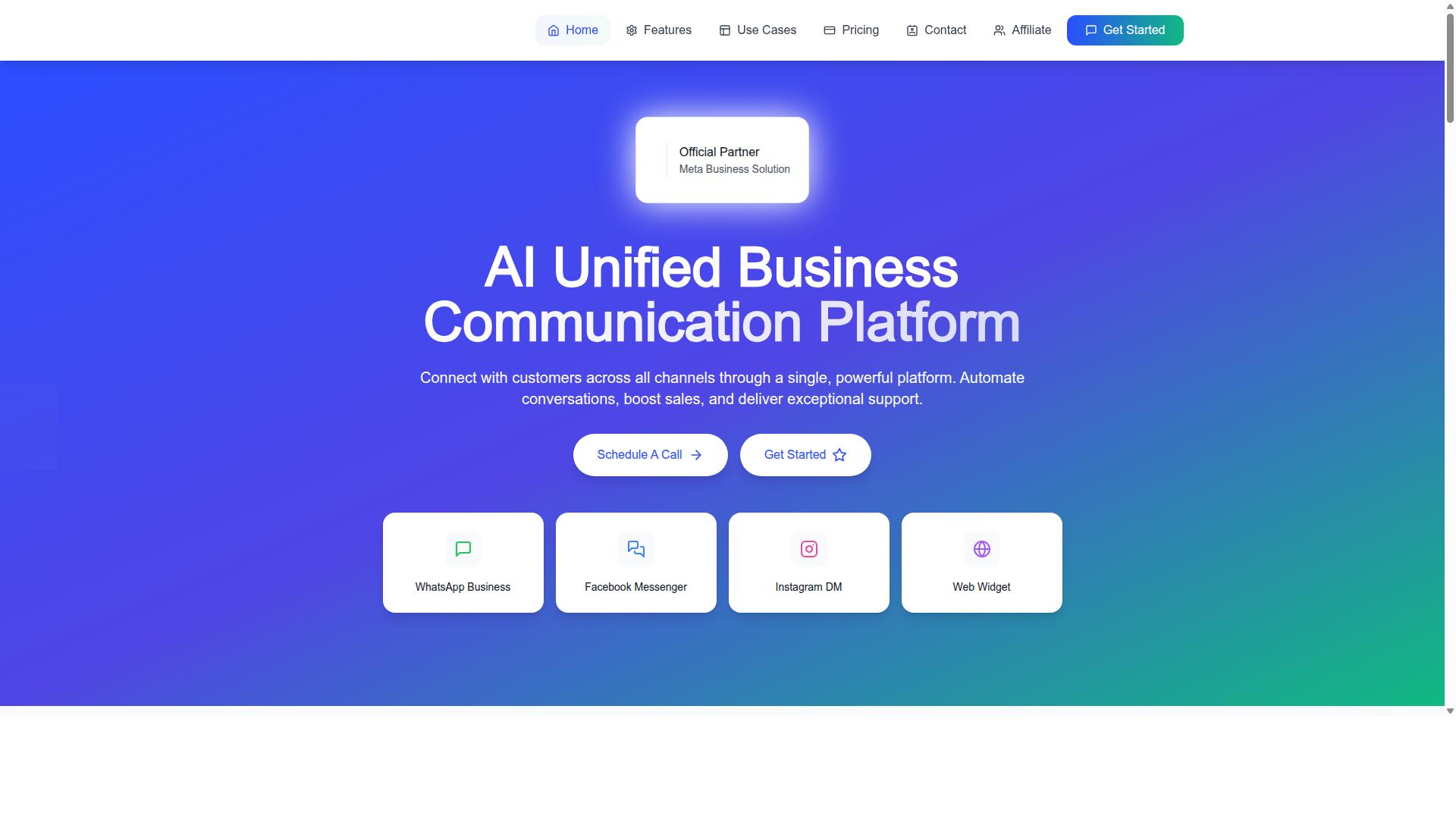
Com.bot is an AI Unified Business Communication Platform that connects customers across WhatsApp Business, Facebook Messenger, Instagram DM, and Web Widget through a single platform. For a small business, that means one place to manage order updates instead of juggling separate apps for each channel.
The Unified Team Inbox pulls every conversation into one view, so an agent can see a customer's order question alongside the rest of their message history. Team Collaboration with role-based access keeps the right people on the right conversations without exposing everything to everyone.
Automation is handled through a Visual Bot Builder with a drag-and-drop interface, plus an Automation Builder with 1000+ integrations. Com.bot supports order updates, shipping confirmations, and delivery status messages across channels.
- A customer places an order and the trigger fires on the order event.
- Com.bot sends a templated message with personalized details, such as the customer's name and order reference.
- A shipping confirmation and tracking number go out through the customer's preferred channel.
- Delivery status updates follow automatically as the order moves.
- Any exception, like a refund request or a backorder question, routes to a human agent in the Unified Team Inbox.
Com.bot also supports Native Payments for WhatsApp, which lets businesses collect payment status confirmations without sending customers to another app. Bulk Messaging and Notifications cover high-volume moments like a dispatch day or a sale.
Com.bot is an official Meta Business Partner with 23,000+ active customers and processes 25M+ messages per day. Alongside its core platform, it offers related products including Tasks.Bot for task automations, Tickets.Bot for event ticketing, and Calendars.Bot for appointment booking.
For a small team, the practical win is simple. Set the triggers once, let templates handle the routine shipping confirmation and delivery status messages, and keep human attention for the exceptions that actually need it.
